Calibrating ADAS at home is possible only when you can correctly follow the vehicle’s prescribed procedure and meet its equipment, preparation, and operating requirements. A basic OBD2 code reader alone is not enough.
Some manufacturers provide owner-accessible camera-calibration instructions; other procedures require specialized tools and setup. Connecting through the OBD2 port does not establish a tool’s calibration capabilities.
If you need a vehicle-specific assessment, explore our ADAS calibration services in Huntington Beach.
Diagnostic Scanning vs. ADAS Calibration
A diagnostic scan retrieves supported information from vehicle control modules. Depending on the tool, it may provide fault codes, live data, or manufacturer-specific tests.
Calibration follows a prescribed procedure to establish or adjust the relevant system references.
Reading a code, clearing a code, and completing calibration are separate operations.
A scanner can help identify a problem, but clearing its stored code does not straighten a bent bracket, correct an installation, or independently prove sensor aim.
What Can a Basic OBD2 Reader Do?
A basic OBD2 reader typically reads and clears standardized emissions-related fault codes. Access to camera, radar, and other manufacturer-specific modules depends on the tool and may be unavailable.
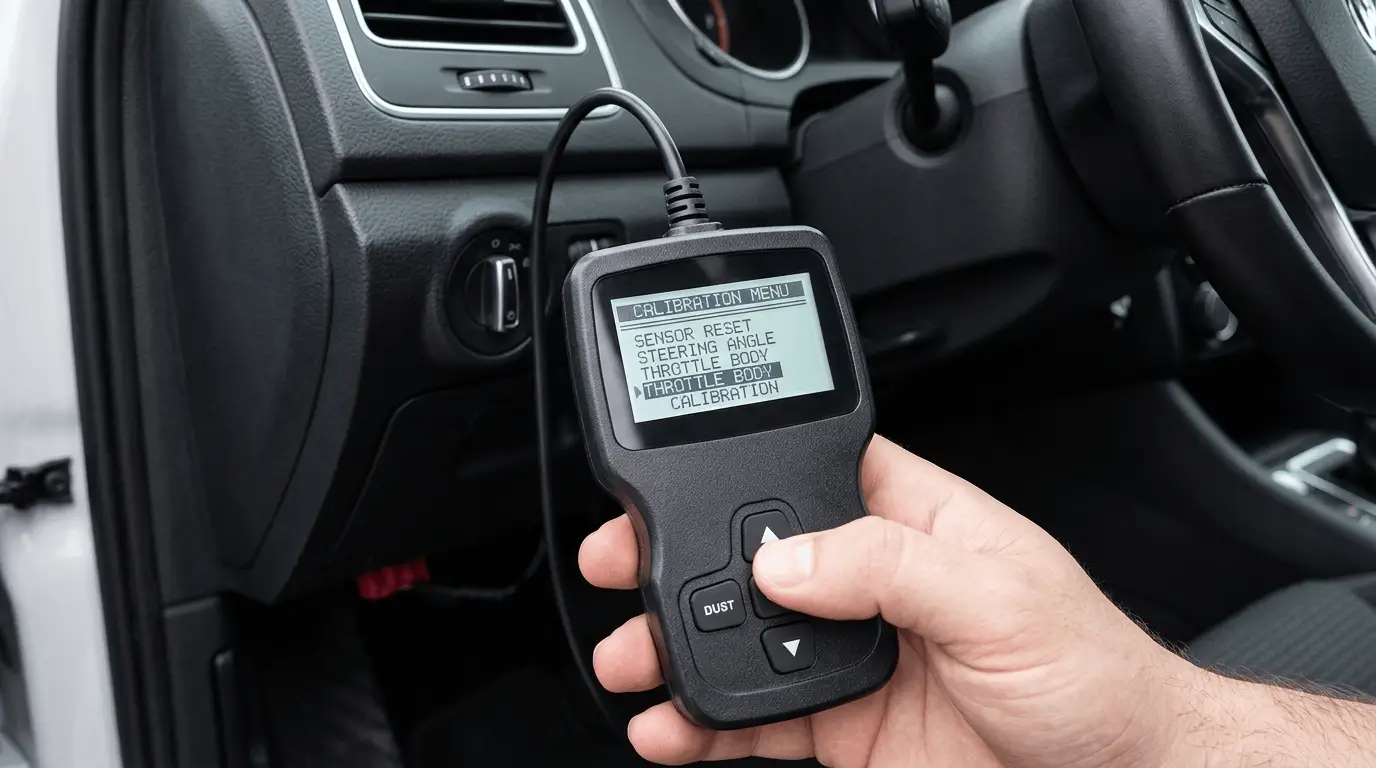
Check the tool’s documented capabilities rather than assume that “no codes found” means every vehicle system was inspected.
Are Any ADAS Calibration Procedures Owner-Accessible?
Some manufacturers publish owner-accessible camera-calibration instructions. For example, Tesla provides Model 3 camera-calibration guidance, while noting that the routine may not resolve every camera or sensor concern.
Follow only the instructions applicable to your vehicle. An owner-accessible routine does not replace required inspection, mounting repairs, or other manufacturer-required ADAS procedures.
Does an ADAS Calibration Menu Include Everything You Need?
No. A calibration menu does not establish support for your exact vehicle and system or provide every required tool and setup condition.
Depending on the procedure, you may also need targets or reflectors, measuring equipment, vehicle preparation, and suitable workspace or driving conditions. Check what is included and what must be obtained separately.
Some tools offer guided instructions, but their detail varies. Confirm that the guidance matches the current manufacturer procedure, prerequisites, and completion checks. Save any completion status, failure message, or diagnostic report for follow-up assessment.
Our static and dynamic calibration guide explains the methods. For workspace considerations, see whether mobile ADAS calibration can be performed in a driveway.
What to Verify Before Buying an ADAS Scan Tool
| Purchasing question | What to confirm |
|---|---|
| Does it support my vehicle? | Exact model year, vehicle application, and affected system |
| Can it access the relevant module? | Camera or radar coverage, beyond basic emissions-code reading |
| Does it support the required function? | The specific calibration or initialization operation |
| What additional access is needed? | Applicable software, subscriptions, or service information |
| What equipment is separate? | Required targets, accessories, and measuring equipment |
| Can it retain results? | Available reports or records of the attempted procedure |
Confirm these details with the tool supplier before purchase. Broad “ADAS support” wording does not establish coverage for every vehicle or procedure.
What You Can Do Before a Professional Appointment
Prepare information that helps the technician investigate efficiently:
- Your VIN and vehicle equipment details.
- Repair and glass-replacement invoices.
- Replacement-part information, if available.
- Exact warning messages or photographs.
- When the symptoms began.
- Suspension or tire modifications.
Follow the owner’s manual for cleaning accessible viewing areas or sensor covers. Avoid moving camera or radar mounts to try to correct an aiming problem.
What If You Have Already Cleared the Codes?
Tell the technician what tool you used, which codes appeared, and what functions you performed. Bring any saved reports or screenshots.
Clearing codes may remove useful diagnostic information, but it does not prevent the shop from carrying out further assessment.
Turn Scanner Findings Into a Clear Repair Plan
If your scanner shows an ADAS fault or you are unsure whether calibration was completed, get a vehicle-specific assessment.
At ER Collision and Auto Body Shop, Erik Reyna and his team bring more than 15 years of automotive repair experience at an I-CAR Gold Class recognized facility in Huntington Beach.
Share your saved codes, warning messages, and repair history so we can assess which diagnostic or calibration steps are appropriate.